
The TN SSLC result page has a funny habit: it opens perfectly at 10:58 a.m., then starts wheezing the minute half of Tamil Nadu begins refreshing it. If you’re checking the TN Class 10 Result 2026, a little preparation can save you from the usual password panic, server errors, and “why is this page blank?” drama.
I’ve watched students type the wrong date of birth five times in a row because someone handed them the hall ticket in a rush. It happens. The good news is that the Tamil Nadu Class 10 marks and online memo are usually simple to access once you know where to look and what details to keep ready.
Where to Check TN Class 10 Result 2026
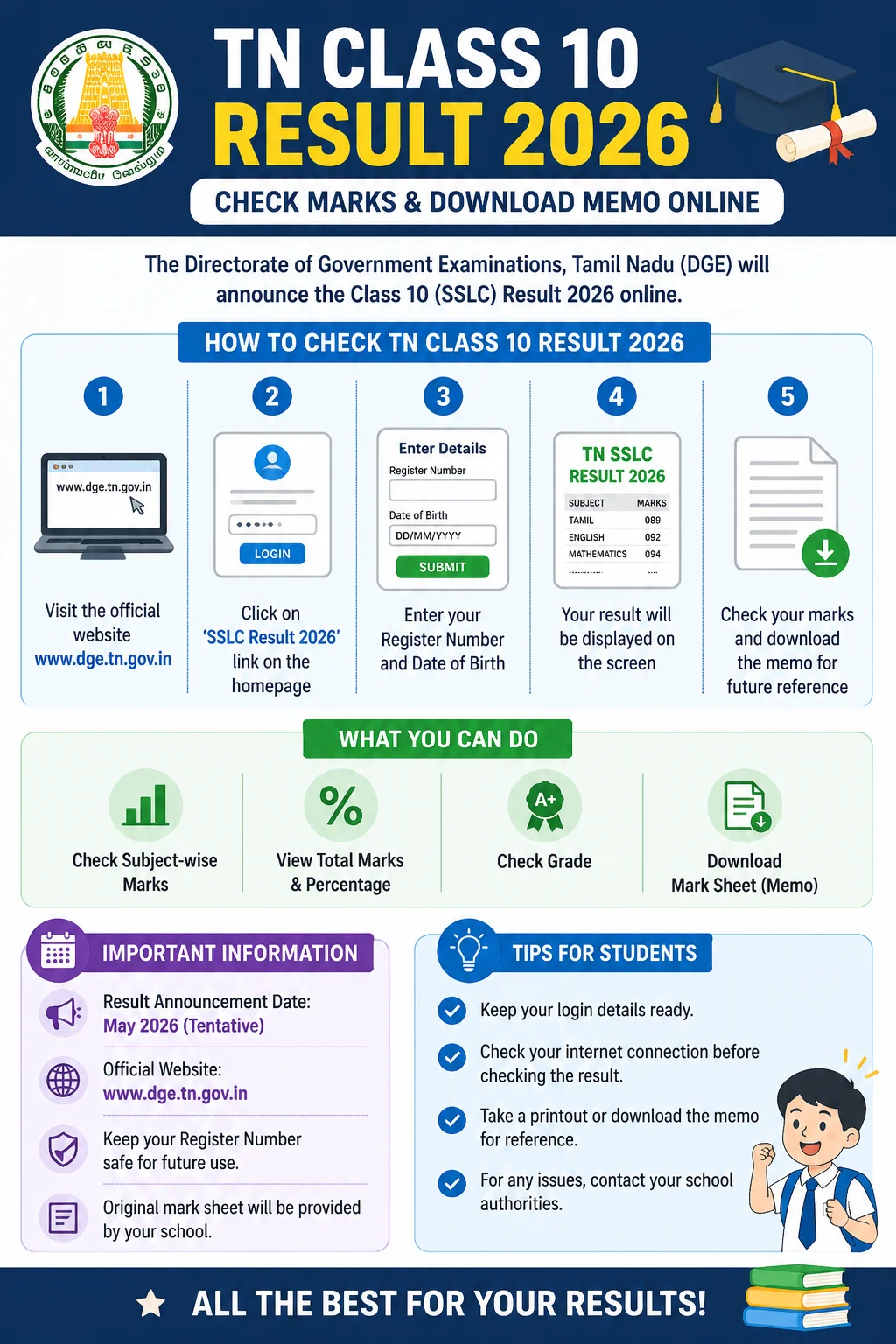
The Directorate of Government Examinations, Tamil Nadu, usually publishes SSLC results through official result portals. For 2026, students should first check the websites run or linked by DGE Tamil Nadu, not random result pages stuffed with ads.
- tnresults.nic.in — the main Tamil Nadu results portal managed through NIC systems
- dge.tn.gov.in — Directorate of Government Examinations, Tamil Nadu
- dge1.tn.nic.in or dge2.tn.nic.in — alternate result links, when activated
In recent years, Tamil Nadu SSLC results have landed in May. The 2024 SSLC result was declared on 10 May 2024, and the 2025 result was released on 16 May 2025. That doesn’t guarantee the 2026 date, of course, but it gives you the pattern. Watch the official DGE press release for the exact day and time.
Details You’ll Need Before Checking Marks
Keep your hall ticket nearby. Don’t rely on memory, especially for the registration number. One digit off and the portal will politely pretend you don’t exist.
- Registration number as printed on the SSLC hall ticket
- Date of birth, usually entered in DD/MM/YYYY format
- Stable internet connection, preferably not the weakest corner of the house
- Phone or laptop with a browser like Chrome, Edge, Safari, or Firefox
Small thing, big difference: if you’re using a phone, turn off auto-translate on the result page. I’ve seen browsers mangle form labels on government websites. Not helpful.
How to Check TN Class 10 Result 2026 Online
- Go to tnresults.nic.in or the result link listed on dge.tn.gov.in.
- Click the link for SSLC Examination Results 2026.
- Enter your registration number.
- Enter your date of birth in the required format.
- Click Get Marks, Submit, or the button shown on the page.
- Check your subject-wise marks, total, and result status.
- Take a screenshot first. Then download or print the page if the option is available.
If the site crashes, don’t keep hammering refresh every two seconds. That rarely helps. Wait a minute, try the alternate DGE link, or switch from mobile data to Wi-Fi. Government result servers get slammed on result day. No mystery there.
How to Download TN SSLC Marks Memo
The online marks memo, sometimes called a provisional mark sheet or temporary mark certificate, is the document students use until the original certificate is issued through schools. It normally shows your name, registration number, school details, subject-wise marks, total marks, and pass status.
Here’s the usual method:
- Open the official DGE Tamil Nadu website: dge.tn.gov.in.
- Look for the Temporary Mark Certificate, SSLC Mark Statement, or result-related link.
- Enter your registration number and date of birth.
- Submit the form and open the generated memo.
- Download the PDF, if available, or print it using the browser’s print option.
Some students may also get access through their schools. In practice, schools often download batches of mark statements for students, especially in smaller towns where not everyone has a printer at home. Old-school, but it works.
Can You Use DigiLocker for the TN 10th Memo?
DigiLocker, run by the National e-Governance Division under the Ministry of Electronics and Information Technology, is worth checking after results are published. Many state boards now push digital mark sheets and certificates there, though availability can vary by year and board integration.
If Tamil Nadu SSLC 2026 documents are made available in DigiLocker, you can sign in at digilocker.gov.in or use the DigiLocker app. Search for Tamil Nadu education documents, choose the SSLC certificate or mark sheet option, and verify using the required details. Simple, when it’s live. Annoying, when it isn’t.
What the Marks Mean
Tamil Nadu SSLC students are generally assessed out of 100 marks per subject. The usual minimum passing mark is 35 out of 100 in each subject. For Science, the split includes theory and practical components, so students should check the subject-wise break-up carefully instead of staring only at the total.
The online result is useful for admission and quick verification, but the original certificate still matters. Schools normally distribute official mark certificates later, after DGE completes the post-result process.
If Your Marks Look Wrong
First, breathe. Then compare the online memo with the details on your hall ticket. If your name, date of birth, or school information looks incorrect, speak to your school office quickly. They’re the first practical point of contact, not a random helpline number forwarded in a WhatsApp group.
For marks-related concerns, DGE Tamil Nadu usually announces procedures for retotalling, photocopy of answer scripts, or supplementary exams through official notifications. Don’t assume the rules from last year will be exactly the same in 2026. Read the fresh circular. Boring? Yes. Necessary? Absolutely.
Quick Tips for Result Day
- Use only official websites for checking marks.
- Keep your hall ticket and date of birth ready before the result time.
- Save a PDF and screenshot of your result.
- Don’t share your registration number publicly on social media.
- Collect the original certificate from your school when it’s issued.
Result day feels huge, and for a few hours it really is. But the tech side doesn’t have to be messy. Keep the correct links ready, enter the details carefully, download the memo, and move on to the next step. That’s the whole game.