Result day is weirdly technical now: one wrong UID digit, one overloaded server, and suddenly your marks feel farther away than the moon. If you're waiting for the ISC Class 12 Result 2026, the good news is that CISCE has made the scorecard download process fairly simple — when the website behaves, that is.
The Council for the Indian School Certificate Examinations, better known as CISCE, will publish the ISC 2026 results on its official result portal. Based on recent years, students can expect the result around May 2026, though the final date will come only through an official CISCE notice. For context, the 2024 ISC result was declared on May 6, and CISCE reported a 98.19% pass percentage that year. Pretty high. Still nerve-racking.
Where to Check ISC Class 12 Result 2026
The first place to check is the official CISCE results website. Don't trust random “fast result” links floating around WhatsApp groups. I've seen students land on clone pages that ask for phone numbers, email IDs, and other unnecessary details. No thanks.
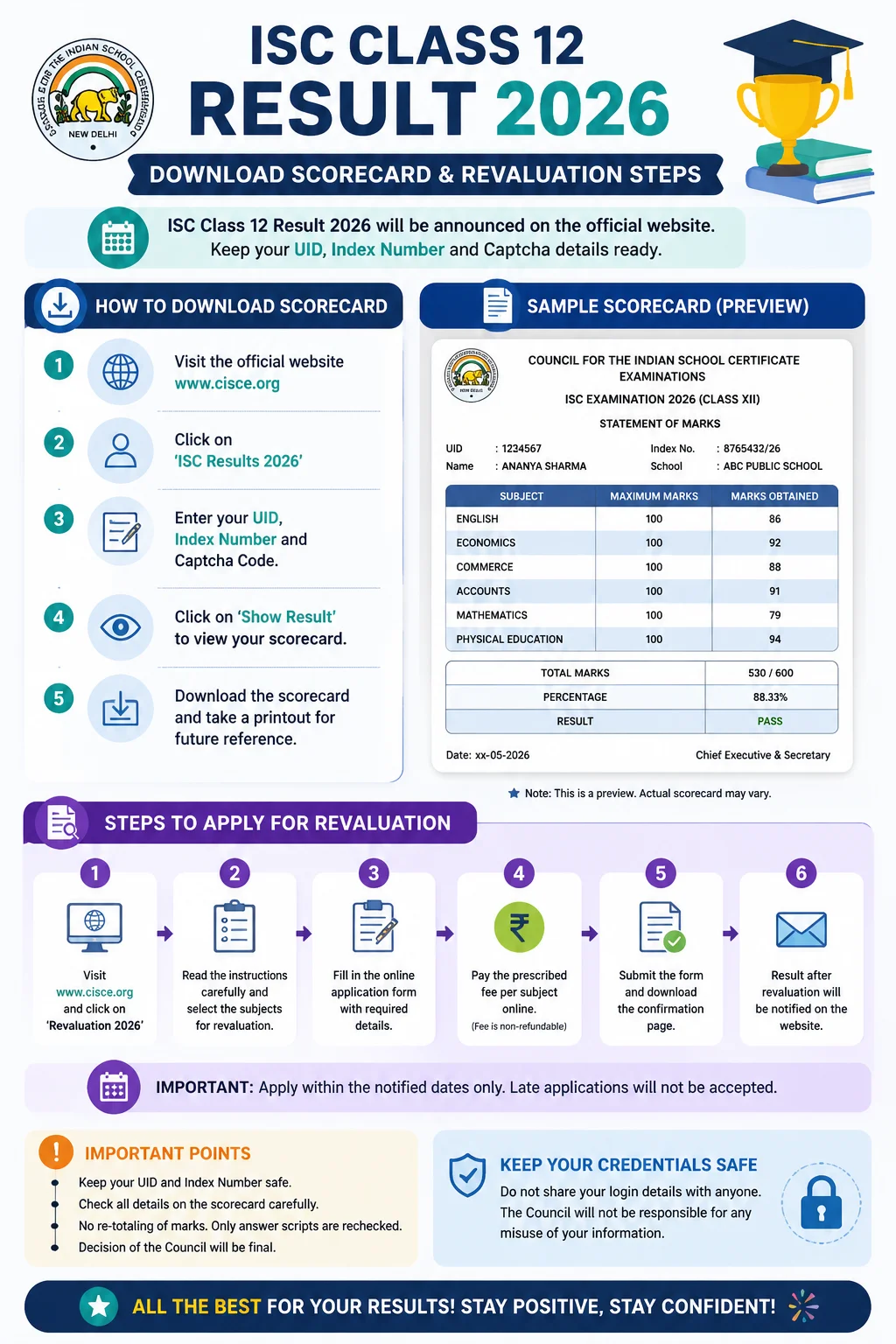
Use these official routes when the result goes live:
- CISCE result portal: results.cisce.org
- Main CISCE website: cisce.org
- DigiLocker: digilocker.gov.in or the DigiLocker mobile app
- School login: schools can access results through the CISCE careers portal
DigiLocker is especially useful after the initial rush dies down. It stores digitally signed marksheets and certificates issued through government-backed infrastructure under the Ministry of Electronics and Information Technology. Translation: it's not just a screenshot. It carries official value.
Details Needed to Download the ISC Scorecard
Keep your admit card nearby. Not “somewhere in the drawer.” Actually nearby. The result page usually asks for details printed on it, and panic-typing from memory is how mistakes happen.
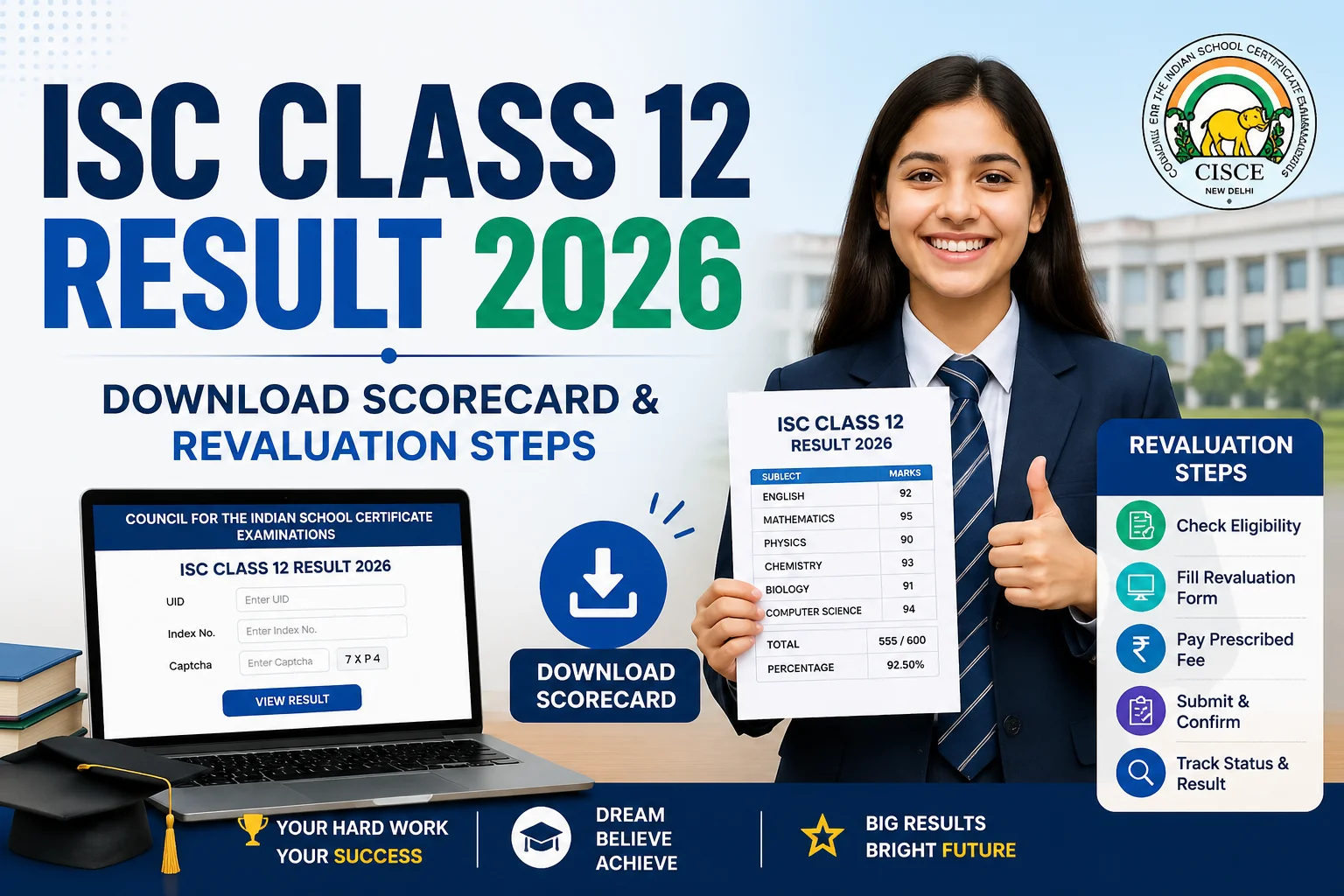
You’ll generally need:
- Course: ISC
- UID: your unique identification number
- Index number: printed on your admit card
- Captcha code: the annoying but necessary security check
If the captcha fails twice, refresh the page instead of hammering the submit button. Old browser sessions can get messy. Chrome, Edge, Safari — all fine. Just don’t use a three-year-old browser version on a phone with 2% battery. That’s asking for drama.
How to Download ISC Class 12 Result 2026 Scorecard
Once CISCE activates the result link, follow these steps:
- Go to results.cisce.org.
- Select ISC from the course option.
- Enter your UID and Index Number.
- Type the captcha exactly as shown.
- Click on Show Result.
- Check your subject-wise marks, result status, and personal details.
- Download the scorecard PDF or take a printout for college applications.
The online scorecard is handy for immediate use, but your school will issue the original marksheet and pass certificate later. Colleges often accept the downloaded version during early admission windows, especially when official documents are still in transit.
What to Check on the ISC 2026 Scorecard
Don’t just look at the total percentage and close the tab. Slow down for 30 seconds. Really.
Check your name, school name, UID, index number, subject names, theory marks, practical or project marks where applicable, and the final result status. A spelling error in your name may not ruin your day immediately, but it can become a headache during college admission, passport verification, or scholarship paperwork.
Small errors are easiest to fix early. Once documents move through multiple offices, they grow roots.
ISC Recheck and Revaluation: What’s the Difference?
Students often use “revaluation” for everything, but CISCE usually separates the processes. A recheck means the board verifies whether all answers were checked, marks were totaled correctly, and entries were transferred properly. It doesn’t usually mean a fresh examiner gives your whole paper a new read.
Re-evaluation, where available under the board’s current rules, goes a step further and may involve a deeper review of the answer script. CISCE has updated its post-result processes in recent years, so the exact 2026 fee, window, and eligibility will depend on the official circular released with the result. In recent cycles, students had only a short application window. Blink and it’s gone.
Steps to Apply for ISC Result Recheck or Revaluation
If your marks look seriously off — say you expected 92 in English and got 68 — don’t spiral immediately. Compare your performance honestly, speak to your subject teacher, and then decide. Rechecking costs money, and marks can increase, decrease, or stay exactly the same. Yes, decrease. That part catches people off guard.
- Visit the official CISCE website after the ISC 2026 result is declared.
- Open the recheck or re-evaluation link, if activated.
- Log in using the required candidate details, usually UID and index number.
- Select the subject or subjects you want reviewed.
- Pay the prescribed fee online through the available payment gateway.
- Save the confirmation receipt and application number.
- Track the updated result on the CISCE portal when released.
Schools may also guide students through the process, especially if multiple candidates from the same campus are applying. Ask your principal’s office before paying from a random link. A five-minute check can save a very expensive mistake.
Using DigiLocker for ISC 2026 Marksheet
DigiLocker usually requires Aadhaar-linked login or mobile OTP verification. After signing in, search for CISCE under the education section, choose ISC, and enter the requested exam details. The issued document can be downloaded as a PDF and shared digitally where accepted.
One tip from years of watching students scramble during admissions: download your marksheet in at least two places. Save it on your phone, email it to yourself, and keep one printed copy. Boring advice. Very useful advice.
What If the Website Crashes?
It happens. Result portals get slammed because thousands of students refresh at the same time, usually within the first five minutes. Game over? Not at all.
Wait 10 minutes, switch networks, try DigiLocker later, or ask your school whether they’ve accessed the result through their login. Don’t keep submitting the same form 40 times. That rarely helps, and honestly, it just adds to the chaos.
The ISC Class 12 Result 2026 will matter, of course. Marks open doors. But the process after the result matters too: download the scorecard carefully, verify every detail, and use the recheck or revaluation option only when you have a solid reason. Calm beats panic on result day. Almost always.